
city building games with mod support are usually the quickest fix when a “great” builder starts feeling repetitive, you hit UI friction, or you simply want more assets than the base game ships with.
Mods can turn a solid city sim into something you live in for years, but they also come with tradeoffs: broken saves after updates, messy load orders, and the occasional “why is my traffic AI melting down” moment. If you’ve ever bounced off a city builder because it felt too rigid, this is the route most players end up taking.
This guide covers what “mod support” really means, which games tend to be friendlier for modding, how to judge whether your PC and patience are ready, and a practical setup workflow that avoids the common traps.

What “mod support” actually means (and why it matters)
People say “mod support” like it’s one feature, but it usually falls into a few buckets, and the bucket matters more than the label.
- Official tools: the developer ships an editor or SDK, making mods more stable across updates.
- Workshop integration: easy subscribe/install flow, but quality control varies by community.
- Data-driven customization: configs, asset packs, and scripts are accessible, even without an “official” toolkit.
- Community patching: unofficial mod loaders and frameworks can be powerful, but updates can break things.
According to Valve (Steam Workshop documentation), the Workshop is designed to streamline user-generated content distribution inside Steam, which is why many PC city builders feel “mod-friendly” there even if the developer never calls it a mod platform.
For you as a player, the practical question is simple: can you add what you want without turning every patch day into a troubleshooting day?
Quick comparison: popular city builders with strong mod ecosystems
You can mod a lot of games, but not all communities are equal. Some focus on realism tools, others on cosmetic assets, others on deep simulation tweaks. Here’s a high-level map to get you oriented.
| Game | Typical mod strengths | Where mods live | Best for |
|---|---|---|---|
| Cities: Skylines (1) | Traffic tools, UI/QoL, massive asset libraries | Steam Workshop | Players who enjoy detailed city art + system tweaking |
| Cities: Skylines II | Evolving ecosystem, performance/QoL focus early on | Platform varies by release updates | Players who want a newer base sim and can tolerate change |
| SimCity 4 | Decades of assets, regional play enhancements | Community sites/forums | Old-school builders who love deep rabbit holes |
| Tropico 6 | Smaller scene, scenario tweaks, some cosmetic changes | Mixed | City management with humor and missions |
| Workers & Resources: Soviet Republic | Assets and realism add-ons, hardcore logistics setups | Steam Workshop + community | Players who want complexity and planning pressure |
Two notes that save time: mod availability differs by platform (console often has tighter limits), and a “big mod scene” doesn’t automatically mean “stable mod scene.” Those are related, not identical.
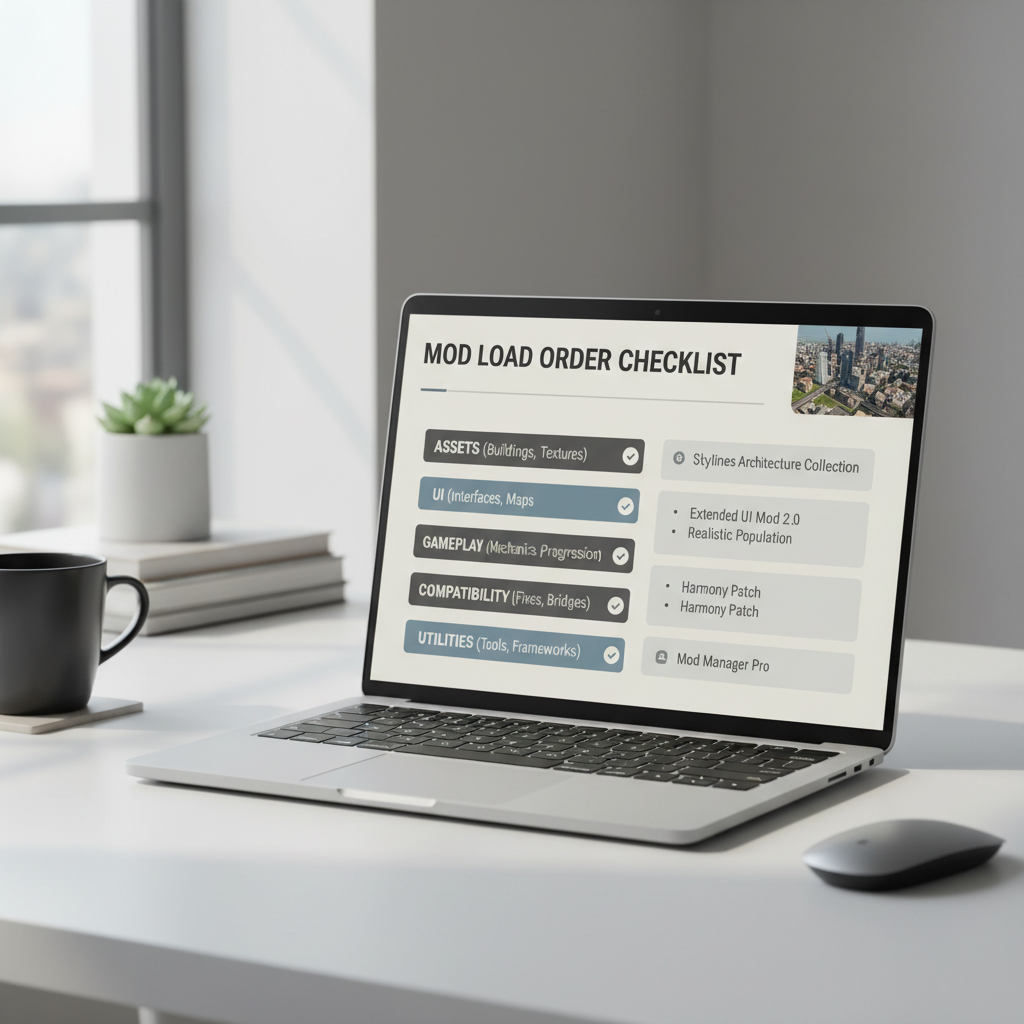
Why mods break: the real reasons behind crashes and corrupted saves
When city building games with mod support go wrong, it’s rarely “mods are bad.” It’s usually one of these patterns.
- Game update changed an API: yesterday’s traffic mod calls a function that no longer exists.
- Load order conflicts: two mods touch the same system, so the last one loaded wins, sometimes unpredictably.
- Asset overload: too many custom buildings, props, and textures push RAM/VRAM hard, stutters follow.
- Save dependencies: you remove a mod and your save still references its objects.
- Version mismatch: the mod description says “works,” but comments reveal it only works on a specific patch.
According to Microsoft (Windows documentation on memory and performance), applications can degrade or crash when system resources are constrained, which is why heavy asset packs tend to expose weak points in RAM and GPU memory sooner than the vanilla game.
Self-check: are you a good candidate for modding (or should you stay vanilla)?
Some players thrive with a big mod stack, others end up annoyed. Run through this quick list and be honest, it saves you time.
Modding tends to feel great if you…
- Enjoy tweaking settings and reading short install notes
- Can tolerate occasional maintenance after patches
- Want specific features: better traffic tools, more zoning options, richer assets
- Prefer sandbox replay value over fixed campaigns
Staying mostly vanilla may be smarter if you…
- Only play a few hours a month and want zero friction
- Hate troubleshooting or “start the city over” moments
- Play on a device with limited storage or memory headroom
- Care a lot about achievements or competitive leaderboards, where mods can interfere
If you’re in the middle, a “QoL-only” approach works well: pick a small set of stable UI and performance mods, avoid heavy gameplay overhauls until you know your tolerance.
A practical setup workflow that avoids 80% of headaches
This is the part most guides skip: what you do before you subscribe to 60 mods determines whether your next weekend is fun or pure debugging.
Step 1: Start with a clean baseline save
- Create a new city and play 20–30 minutes vanilla.
- Confirm performance feels normal, no random crashes.
- Save it as “Baseline Test” so you can compare later.
Step 2: Add mods in small batches
- Install 3–5 mods max, then test on the baseline save.
- Prefer mods with recent updates and active comment threads.
- Keep notes: what you added, what changed, what broke.
Step 3: Separate categories to control risk
- Low-risk: UI improvements, info panels, camera tools.
- Medium-risk: traffic AI, economy tuning, service rebalances.
- High-risk: overhauls, mod frameworks, anything touching core simulation loops.
Step 4: Treat assets like a budget
- Subscribe intentionally: 10 great buildings beat 200 “maybe later.”
- Watch for texture sizes and dependencies listed in descriptions.
- Use collections only if you trust the curator and the collection is updated.
If you’re chasing the “realistic city showcase” look, this is where city building games with mod support can become a hardware project, not just a game, so adjust expectations accordingly.

Common mistakes (even experienced players still make)
A few errors show up constantly in mod communities, and they’re usually avoidable.
- Updating everything mid-project: if your city is “in the zone,” consider pausing auto-updates or delaying mod updates until you finish a milestone.
- Removing a core mod without a plan: many saves keep references; remove carefully and expect cleanup steps.
- Ignoring compatibility notes: the description and pinned comments often matter more than the screenshots.
- Assuming more mods = better: past a point, every additional mod increases the chance of weird edge cases.
- No backups: one corrupted save can end a 40-hour build, and it feels personal.
Key takeaway: aim for a “small, stable stack” before you chase big overhauls. That’s where the fun-to-maintenance ratio stays healthy.
When to get help (and what to bring so people can actually assist)
Sometimes you do everything right and it still breaks. When you ask for help on Steam discussions, Discord servers, or subreddit threads, include enough detail so it’s solvable.
- Your game version and platform (Steam, Epic, etc.)
- A screenshot of your mod list and load order
- What changed right before the issue started
- Crash logs or error messages if available
According to Electronic Frontier Foundation (EFF) guidance on digital rights and user modification, user modding often sits in a practical gray area shaped by licenses and platform rules, so if you’re using third-party mod loaders or files from unofficial sites, read the game’s EULA and community rules and keep things legal and safe.
If a mod asks you to disable security features or download executables from sketchy mirrors, that’s a good moment to step back. In uncertain cases, it may be worth asking a more technical friend or sticking to trusted platforms.
Conclusion: picking the right mod-friendly city builder for you
city building games with mod support shine when you treat modding like a toolkit, not a shopping spree. Start with the game whose community matches your taste, add a few proven QoL mods, back up saves, and only then branch into bigger simulation changes.
If you want one action to take today, pick one game you already own, build a small “baseline test” city, then add a tight set of 3–5 mods and see whether the experience feels smoother or more fragile. That quick experiment tells you more than any top-10 list.
FAQ
What are the best city building games with mod support for beginners?
Games with Steam Workshop integration and large communities are usually easier for beginners because installs are simpler and troubleshooting guides are common. Start with QoL mods, not overhauls.
Do mods disable achievements in city builders?
It depends on the game and platform. Some titles disable achievements when any mod is active, others allow cosmetic mods but block gameplay changes. Check the game’s achievement rules before committing to a modded save.
How do I avoid breaking my save file when removing mods?
Assume any gameplay mod can be “baked into” a save. Back up first, remove one mod at a time, and test on a copy of the save. If the mod page warns against removal, take that seriously.
Why does my modded city run slower even if nothing crashes?
Asset-heavy setups can increase memory usage and loading times, and simulation mods can add CPU work per tick. Reducing asset counts and avoiding overlapping simulation mods often restores stability.
Are mod collections safe to use?
Collections are convenient, but quality varies. If a collection hasn’t been updated in a while or comments mention broken dependencies, treat it as a starting point, not a one-click solution.
Can I use mods on console versions of city building games?
Many consoles have stricter limitations, and some games offer curated mod libraries rather than open-ended modding. Check the specific title and your console’s policies for what’s supported.
What’s the difference between assets and gameplay mods?
Assets add things like buildings, props, and vehicles, while gameplay mods change systems like traffic, economy, or zoning logic. Assets can stress memory, gameplay mods more often create compatibility issues.
If you’re trying to choose between a couple of mod-friendly builders, or you want a “small but stable” mod list tailored to your play style and hardware, it can help to describe what annoys you in vanilla and what you wish the game did better, then build a mod plan around that instead of chasing every popular download.